You’ve completed discovery and assessment and have identified the specific servers you plan to migrate for the pilot. You’ve also ensured that required prerequisites are in place for the Azure Migrate project and your on-premises VMs.
Having completed these preparations, you’re ready to migrate your selected Hyper-V workloads to Azure.
In this unit, you’ll review Azure Migrate Server Migration and how to configure replication for specific workloads to Azure.
Set up replication
The first step in migrating servers is to replicate them. In this task, you configure and enable the replication of your on-premises virtual machines from Hyper-V to the Azure Migrate Server Migration service.
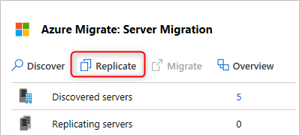
In the Azure Migrate Server Migration tool, click Replicate.
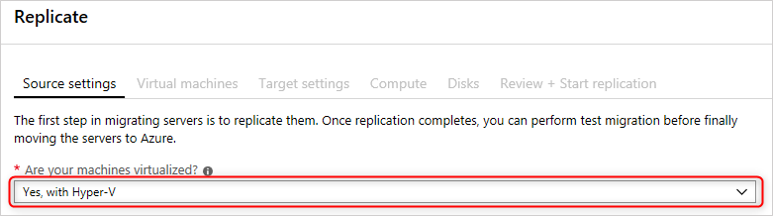
In Source settings, select the Hyper-V workload.
Although you can import migration settings from an existing assessment, you decide to specify the migrations settings for the VMs manually. This lets you change VM sizing and OS disk settings as needed.
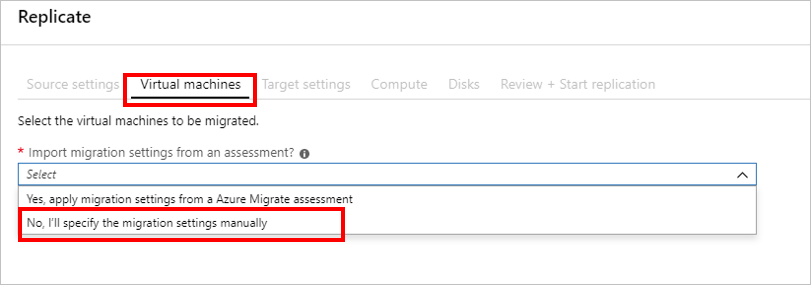
In Virtual Machines, select the VMs you plan to migrate. You can replicate up to 10 machines together. You’ve selected 20 machines for the pilot, so you’ll replicate them in 2 batches of 10.
Leave a Reply